
NtTimeChartControl.GetTimeDisplayMode Method
Returns the currently used TimeDisplayMode. The TimeDisplayMode defines the meaning of a column
in the NtTimeChartControl. Possible return values are defined by the enum
TimeDisplayMode. These are:
- fivemin
- quarterhour
- hours
- quarterday
- days
- months
Example: So if the TimeDisplayMode is set to
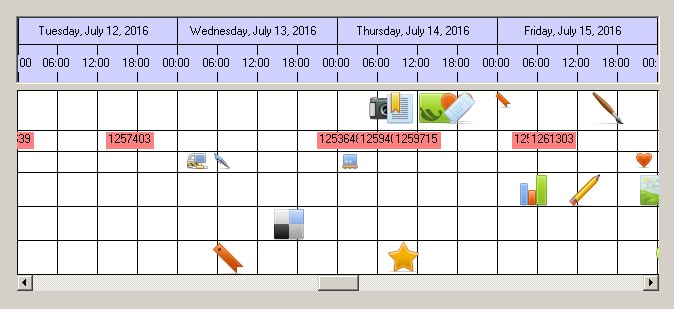
Overload List:
| Modifier / Return Value | Name and Parameters | Description |
|---|---|---|
|
|
|
Sets the TimeDisplayMode for use by this NtTimeChartControl using a default column width and setting the steady point to the middle of the client area. |
|
|
|
Sets the TimeDisplayMode for use by this NtTimeChartControl using a default column width. The steady
point is located at X-coordinate |
|
|
|
Sets the TimeDisplayMode for use by this NtTimeChartControl as well as the new column width. The steady
point is located at X-coordinate |
Return value:
Parameters:
The TimeDisplayMode to set.
The new column width in pixels.
When the TimeDisplayMode changes, the horizontal time axis is either beeing squeezed or stretched. For this reason, time stamps and objects are being moved
horizontally. This means that only one point of time can stay put on the screen. For example you might want the left edge of the visible area remain still or the center. You can define this by this
parameter
Remarks:
When using an overload that does not define the new column width then the NtTimeChartControl uses the following algorithm to determine the new width:
If switching to the new TimeDisplayMode shrinks the time axis, it applies a big column width to keep the overall image as steady as possible.
If switching to the new TimeDisplayMode stretches the time axis, it applies a small column width also to keep the overall image as steady as possible.
For this reason it is good practice to omit the column width if not necessary.
See also: