| |
Licensing
Overview
The Nateo Time Chart Control Package is a set of .NET controls and classes that are sold to developers as a commercial product. You can download and install the package free of charge and use it in
demo mode. Demo mode allows you to develop, run, and test software in order to evaluate if the Nateo Package fits your needs. In demo mode the Nateo package has full functionality but with the following restrictions:
- In Visual Studio's designer it will indicate the Demo Mode.
- When running it will give you a message that it is running in Demo Mode
- On each launch the Time Chart will run properly for a randomly choosen number of minutes, only. Then it will not crash, but the data display will produce more and more
invalid results and functions like data insertion, sorting etc. will malfunction over time. You will have to restart the program to see valid results again.
This method allows you to seriously test the Nateo package before ordering. But as long as you are in demo mode you can not create usable software.
Once you purchased a license key, you can activate your installed package to make it a productive one. Then you simply go on developing, and you may ship your products royalty free.
This means, you pay per developer seat but not per product you ship.
Before installing or purchasing any of our products, please read our End User License Agreement (EULA). In case of questions please contact us.
How to purchase and get a License Key
You can purchase a license via Support@NateoTimechart.com. Please find prices here.
After submitting your order, you will receive an order number. With that order number please create your 'Order and Hardware Fingerprint' using the Nateo License Manager that is installed on your computer:
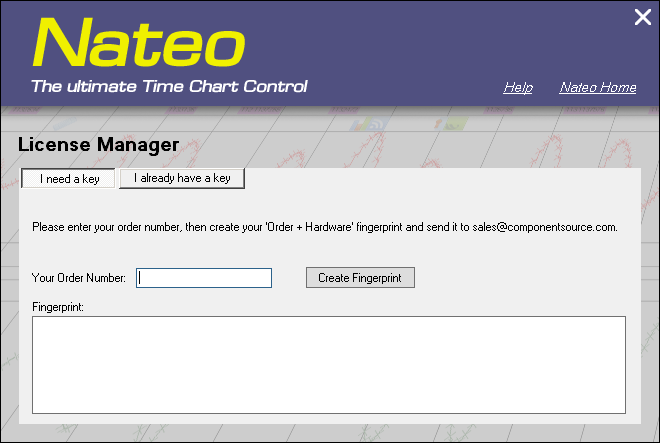
Please enter your order number into the appropriate field. The tool will compress your order number plus hardware signature of your PC into a character sequence.
Please send this sequence to Support@NateoTimechart.com.
Please note that you must run the Nateo License Manager on the computer you want the license for, because the hardware signature is taken from that computer.
Installing your License Key
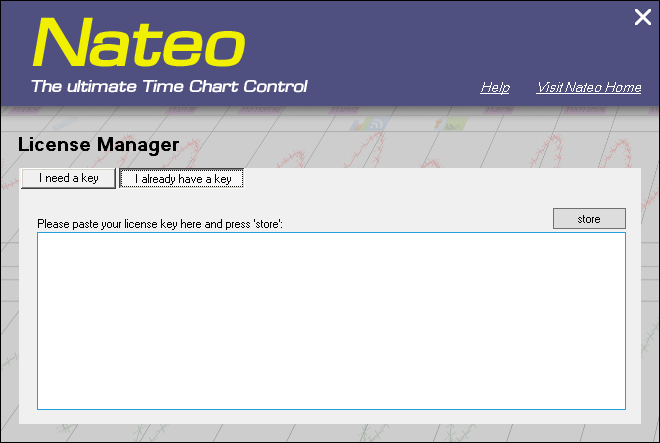
Once you have sent your 'Order and Hardware Fingerprint' to us, we will send you the license key. Then please launch the License Manager again and select the second tab 'I already hava a key'.
Please enter the license key, and press 'store':
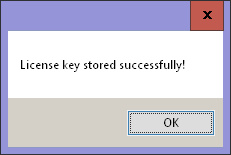
The License Manager will confirm the installation of your license code:
At this point, if you have built any Visual Studio project with the Nateo package in demo mode, please clean that project and rebuild it to recreate it with your Nateo package being in productive mode.
Congratulations, you have successfully purchased and installed a productive version of the Nateo Time Chart package! Thank you very much!
|
